For weddings, receptions, banquets and parties

The seating chart maker for weddings and events

Headtable is a seating chart app for iPhone and iPad. Build your guest list, drag guests onto tables, keep the right people together (and apart), collect RSVPs online, plan it with your partner, and print a finished chart, escort list and place cards. It's free for up to 50 seated guests, and Headtable Pro is a one-time purchase that seats everyone. No subscription, no account.

  • Free to start
  • No subscription
  • No account needed
  • 20 languages
A reception hall set with round tables, gold chairs and flowers
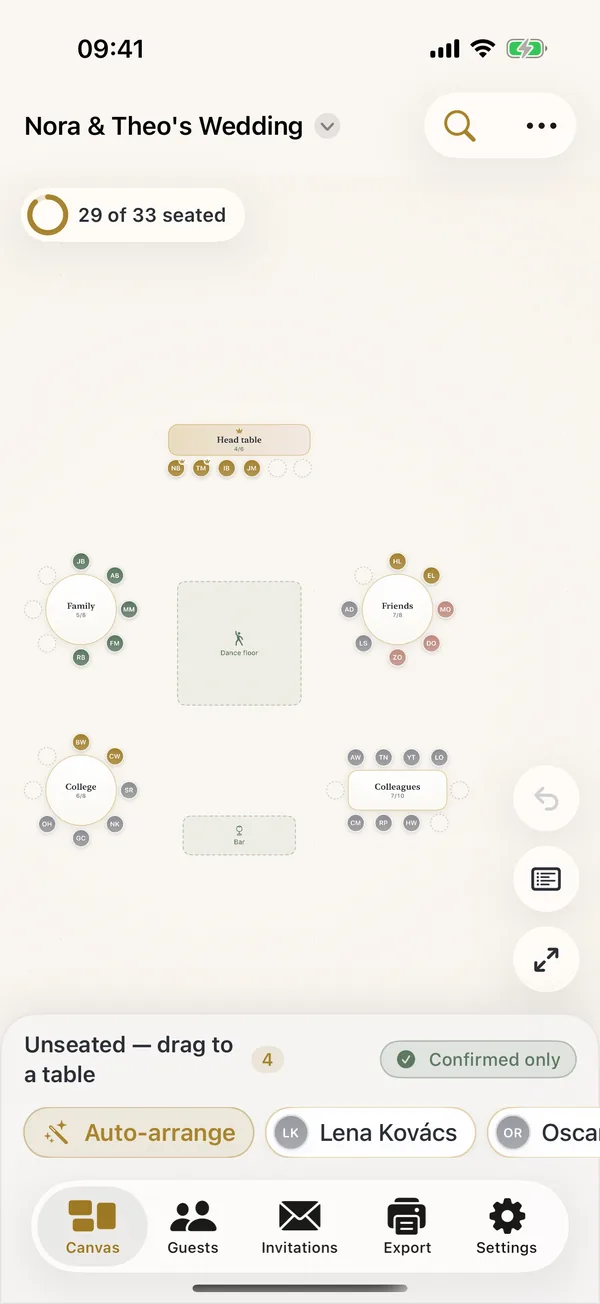
Headtable's seating canvas on iPhone: round tables, a head table and a dance floor, with 29 of 33 guests seated

Features

Everything between the guest list and the place cards

Headtable does one job, seating, and does it properly: the room, the rules, the replies and the printouts.

Lay out the real room

Set up the room in one step: enter how many guests and the table size, and the tables appear. Enter the room's size to plan to scale, and Headtable flags tables that sit too close. Then drag each guest onto a seat, or let Auto-arrange fill the tables and fine-tune by hand.

  • Round, oval, square, head and sweetheart tables, and banquet tables up to 60 chairs
  • Chairs on one side only, or two tables joined into one
  • Dance floor, DJ booth, bar, cake table, gift table and stage
  • Mix up the seats for a fresh mix at a dinner party, with couples and families kept together
  • Unlimited undo, and a tray for unseated guests so nobody gets lost
  • Trace a photo of your venue under the plan (Pro)
The Headtable seating canvas with tables arranged around a dance floor

Rules that remember

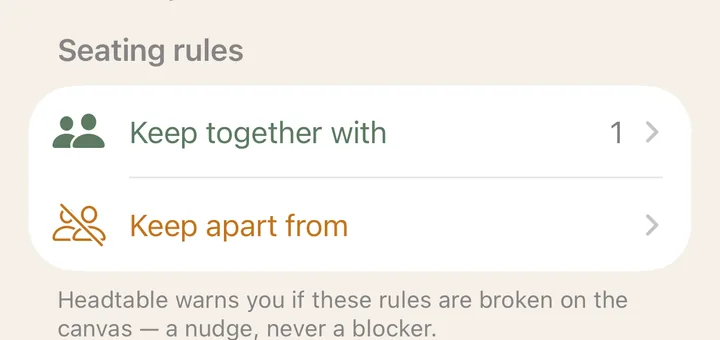
Keep couples together and exes apart. Headtable flags any table that breaks a rule, and Auto-arrange respects them.

Seating rules for a guest: Keep together with, Keep apart from

RSVPs that answer themselves

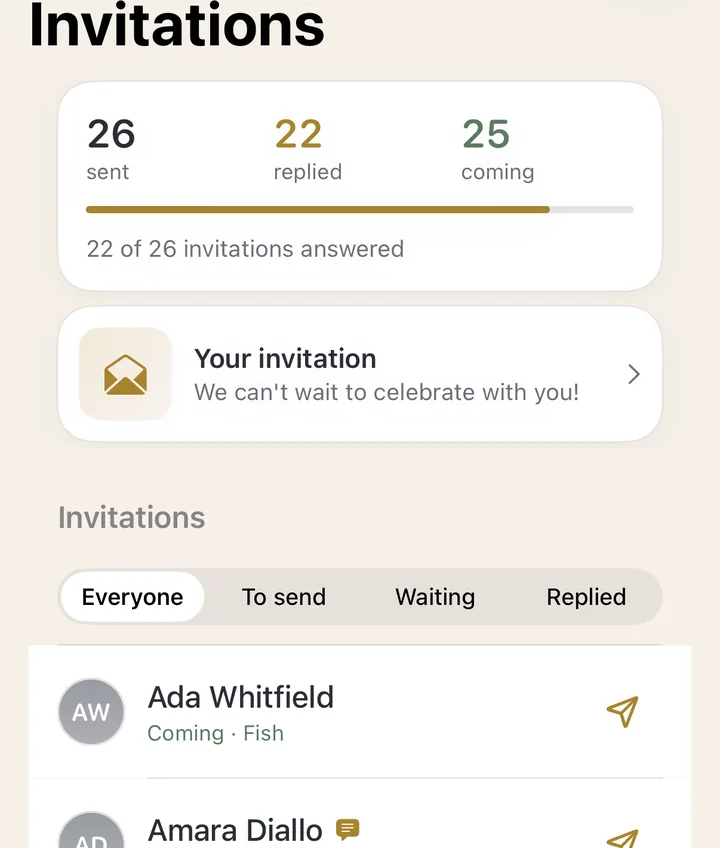
Send each guest a private link. They reply in their browser, with no app or account: coming or not, their meal, allergies and a plus-one if you allow it.

Invitations screen: 26 sent, 22 replied, 25 coming

Bring the list you have

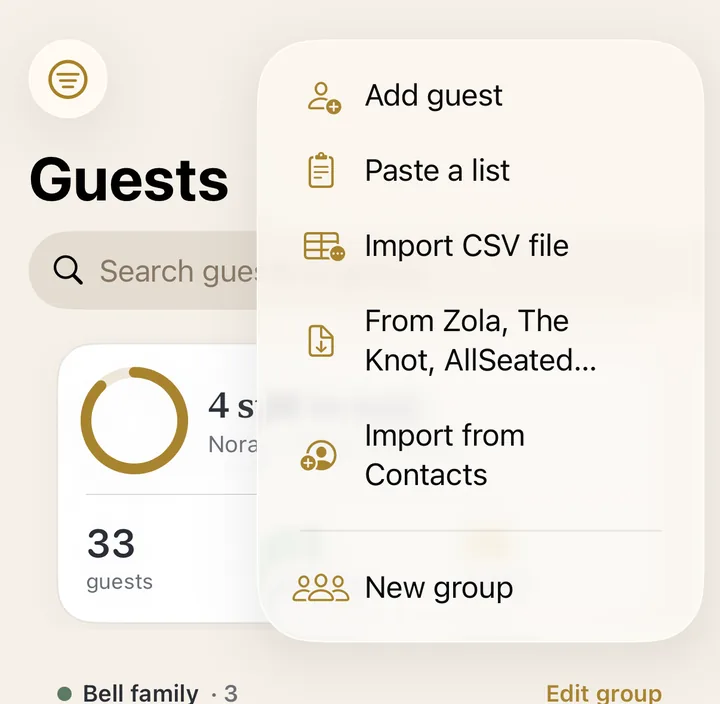
Paste a list, pick from Contacts, or import a CSV from Zola, The Knot, AllSeated, Google Sheets or Excel.

The add-guests menu: Paste a list, Import CSV file, From Zola, The Knot, AllSeated, Import from Contacts

Counts for the caterer

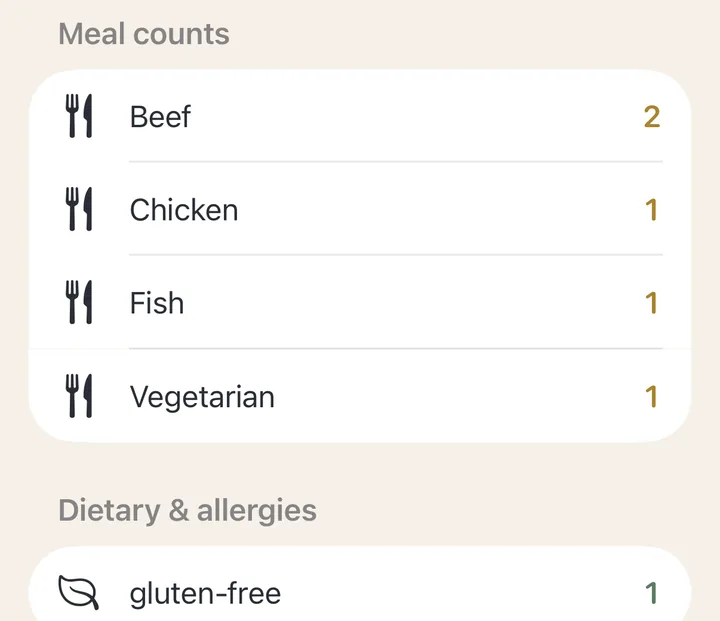
Every table shows who sits there, with meals and dietary needs. Color-code the printed chart by meal.

Meal counts for one table: beef, chicken, fish, vegetarian, and dietary needs

Find my seat Pro

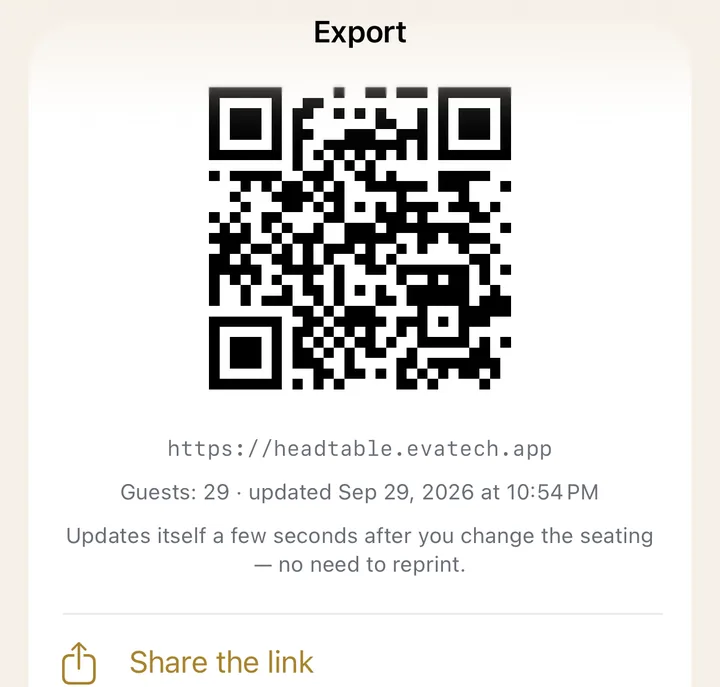
Print a QR code for the door. Guests scan it, type their name and see their table.

The find-my-seat QR code that guests scan at the venue

Plan together

Invite your partner, a parent or your planner. Everyone edits the same plan from their own phone, even on another Apple Account, and changes appear in seconds.

  • Up to four people on one plan
  • Inviting needs Pro; joining is free, with every Pro feature on that plan

Every guest's seat, sent

Send each guest their seat in a personal text or email, “You're at Table 4”, straight from your phone.

  • One message per seated guest, to the contact on file
  • With a find-my-seat page (Pro), its link rides along

Check-in at the door

On the day, search a name, see which table to send them to, and tick them off as they arrive.

  • From one phone or several
  • Free on every plan

Print-ready, worthy of the day

Export the seating chart as a PDF or image on A4 or US Letter, and your guest list as a CSV, for free. Headtable Pro adds the full print pack, in eight designs:

  • A clean chart without the Headtable footer
  • Per-table lists and an alphabetical escort list
  • Caterer meal counts
  • Fold-over place cards and table-number cards
  • An 18×24 in (A2) seating poster
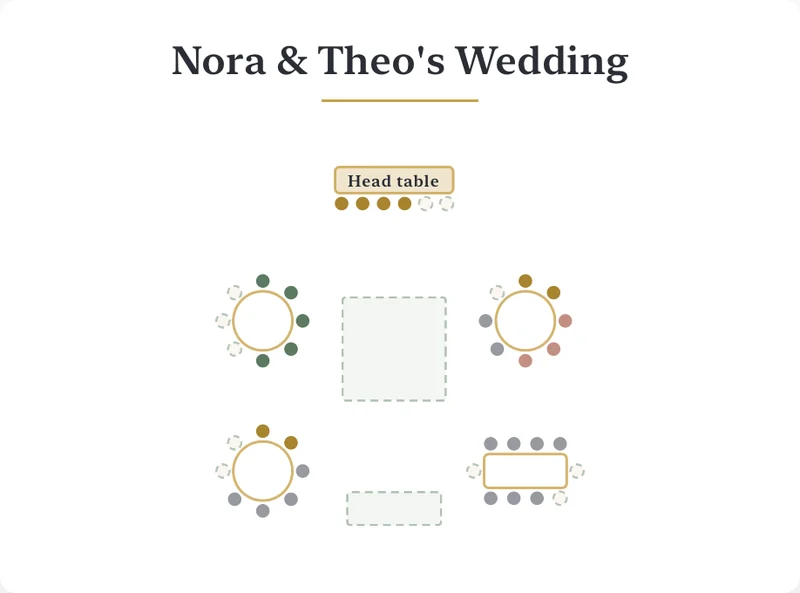
A printed seating chart for Nora and Theo's wedding: a head table, round and long tables around the dance floor

How it works

From a list of names to a printed chart

  1. 1

    Add your guests

    Type names, paste a list, pick from Contacts or import a spreadsheet. Put couples and families in one group so they sit together.

  2. 2

    Set up the room

    Enter your guest count and table size, and Headtable adds the tables. Add a head or sweetheart table and the dance floor, and enter the room's size to plan to scale.

  3. 3

    Seat everyone

    Drag guests onto tables, or tap Auto-arrange and adjust. Keep-together and keep-apart rules flag conflicts. Invite your partner to plan with you.

  4. 4

    Collect RSVPs

    Send invitation links. Replies, meals and allergies land on your guest list.

  5. 5

    Print and share

    Export the chart for your venue and caterer, print escort and place cards, send each guest their seat, and check them in at the door.

Pricing

Honest pricing. Pay once.

You plan an event once, so Headtable is priced that way. No subscription, ever.

Free

$0

Plan the whole event and seat up to 50 guests.

  • Your whole guest list, unlimited tables and rules
  • Up to 50 seated guests, with Auto-arrange
  • Online invitations, with your first 8 replies
  • Seating chart as a PDF or image
  • Guest list as a CSV
  • Send each guest their seat, and day-of check-in
  • Join a plan someone shares with you
  • A preview of the full print pack
Start free
One-time · no subscription

Headtable Pro

$12.99once

US price; local prices vary. Shared with Family Sharing.

  • Everyone seated, at every table
  • Every RSVP reply
  • The full print pack in eight designs: clean chart, escort list, place cards, table numbers, poster
  • Find-my-seat QR page for the door
  • Your venue photo under the plan
  • Plan together: invite up to three others
  • Several events: rehearsal, ceremony, reception
Get Headtable
Compare Free and Pro in detail
FeatureFreePro
Guests on your listUnlimitedUnlimited
Seated guestsUp to 50Everyone
Tables and seating rulesUnlimitedUnlimited
Auto-arrangeWithin 50 seatsEveryone
Online RSVPSend to everyone, first 8 repliesEvery reply
Seating chart PDF or imageWith a small footerClean
Guest list CSVYesYes
Print pack (escort list, place cards, table numbers, poster, caterer counts)Preview in the appYes
Find-my-seat QR pageNoYes
Venue photo under the planNoYes
Send each guest their seat by text or emailYesYes
Day-of check-inYesYes
Plan together (up to four people)Join a shared plan, with every Pro feature on itInvite others
EventsOneSeveral
PriceFreeOne-time purchase (US$12.99 in the US; prices vary by country), with Family Sharing

Privacy

Private by design

Your guest list is personal. It stays on your device until you choose to share something.

No account

No sign-up, no email, no profile. Open the app and start planning.

On your device

Guests, tables and notes are stored on your iPhone or iPad. No ads and no tracking.

Gone after the day

Invitation links, find-my-seat pages and a shared plan upload only what they need, never your guests' phone numbers or emails, and are deleted 30 days after the event, or as soon as you stop.

Moving from Prismm or AllSeated?

Prismm (formerly AllSeated) no longer takes new events. See how Headtable compares and how to bring your guest list over.

Read the guide

FAQ

Questions, answered

Can't find what you need? Visit Support or email contact@imaigination.art.

Is Headtable free?

Yes. The free version covers your whole guest list, unlimited tables and seating rules, up to 50 seated guests, online invitations with your first 8 replies, the seating chart as a PDF, the guest list as a CSV, and joining a plan someone shares with you. Headtable Pro is a one-time purchase (US$12.99 in the US; prices vary by country) that seats everyone and adds every RSVP reply, the full print pack, a find-my-seat QR page, a venue photo under your plan, inviting others to plan together and extra events.

Can my partner and I plan the seating chart together?

Yes. Invite your partner, a parent or your planner, and everyone edits the same plan from their own iPhone or iPad, even on a different Apple Account. Changes appear in seconds. Up to four people can share a plan. Inviting needs Headtable Pro; joining is free, with every Pro feature on that plan.

Is Headtable a subscription?

No. Headtable Pro is a single one-time purchase with nothing to cancel, and it works with Family Sharing.

Does Headtable work on Android or in a web browser?

No. Headtable is an app for iPhone and iPad (iOS 17 or later). Your guests don't need it: they answer invitation links and use the find-my-seat page in any web browser, on any phone.

How many guests can Headtable handle?

There is no limit on guests or tables. The free version seats up to 50 guests; Headtable Pro seats everyone.

Can I import my guest list from Zola, The Knot or a spreadsheet?

Yes. Export a CSV from Zola, The Knot, Joy, RSVPify, AllSeated/Prismm, Google Sheets or Excel, then in Headtable open Guests, tap + and choose From Zola, The Knot, AllSeated. Headtable reads name (or first and last name), party or household, RSVP, meal, dietary notes, phone and email columns. You can also paste a list or pick guests from Contacts.

Can guests look up their table on their phones?

Yes, with Headtable Pro. Publish a find-my-seat page and print its QR code for the venue. Guests scan it, type their name and see their table. They can only search, never browse the whole list, and the page is deleted 30 days after the event.

Does Headtable work offline?

Yes. Planning works without a connection. Only sending invitations, planning together, publishing a find-my-seat page and buying Headtable Pro need the internet.

How do guests find out where they sit?

Three ways, and you can use them all. Send each guest their seat in a personal text or email ("You're at Table 4") from your own phone. Print an escort list for the entrance (Pro). Or put a find-my-seat QR code at the door, where guests type their name and see their table (Pro). On the day, Headtable's check-in list lets you tick guests off at the door, from one phone or several.

Which languages is Headtable available in?

Headtable is available in 20 languages: English, Arabic, Chinese (Simplified and Traditional), Czech, Dutch, French, German, Hindi, Indonesian, Italian, Japanese, Korean, Polish, Portuguese, Russian, Spanish, Swedish, Thai, Turkish and Vietnamese.


Seat every guest, stress-free.

Free to start on iPhone and iPad. A one-time Pro purchase when you're ready.

Download on theApp Store

Last updated October 17, 2026 · Made by Evatech Innovations, an independent developer